
App Development Company in Jacksonville
A useful app earns a place on someone's phone by making something easier, faster or more valuable than the alternative. The first decision is not which framework to use. It is what the app needs to help a real user accomplish.
OzoPro provides app development for Jacksonville businesses across iOS, Android and Flutter. We help shape the product before the build begins, then connect UI/UX, development, testing, launch preparation and post-launch support around a clear version-one scope.

What Does a Mobile App Development Company Actually Do?
A mobile app development company turns a product or business requirement into a working application. The work typically includes defining the audience and core workflow, choosing the right platform, planning the feature scope, designing the user experience, developing the app and any required backend connections, testing critical flows and preparing the product for release.
Good app development is not only coding. Product decisions, interface design, technical architecture and launch readiness affect whether the app is usable, maintainable and worth improving after version one.
Jacksonville App Development Services
OzoPro’s app-development menu is organized around three primary platform paths. This Jacksonville page keeps those services connected to their dedicated national pages instead of creating thin local copies for every platform.
iOS App Development
For Apple-first products that need an experience designed around the iPhone ecosystem, App Store requirements and iOS user expectations.
Explore iOS App Development →Android App Development
For Android-first products that need Google Play distribution, device-aware testing and an experience suited to the Android ecosystem.
Explore Android App Development →Flutter App Development
For products that need iOS and Android coverage from a shared codebase when cross-platform development fits the app's requirements.
Explore Flutter App Development →First Decide Whether You Need an App
Not every digital idea needs a mobile app. An app makes more sense when the experience benefits from repeat use, account access, device features, ongoing interaction or a workflow people need to complete away from a desktop.
A website or web app may be enough when the interaction is occasional, the workflow works cleanly in a browser or app-store distribution adds little value. Making this decision early can save a business from investing in a mobile product when a simpler solution would meet the same need.

iOS, Android or Flutter: Which Direction Fits?
Platform choice affects development scope, testing and long-term maintenance. There is no single best option for every product.
| Situation | Direction to Evaluate | Why |
|---|---|---|
| Your audience is mainly Apple users | Native iOS | An iOS-first build can use the Apple ecosystem and platform-specific behavior directly. |
| Android is the primary user base | Native Android | A native Android build can focus testing and functionality on the Android device ecosystem. |
| You need iOS and Android together | Flutter | A shared codebase can be efficient when the product is well suited to cross-platform development. |
| The workflow does not need an installed app | Web App | Browser access may reduce complexity when device-specific capabilities are not important. |
The right answer can also depend on an existing codebase, internal technical resources, device requirements and how quickly the product needs to support more than one platform. The useful question is which approach best supports the product, not which technology sounds more advanced.
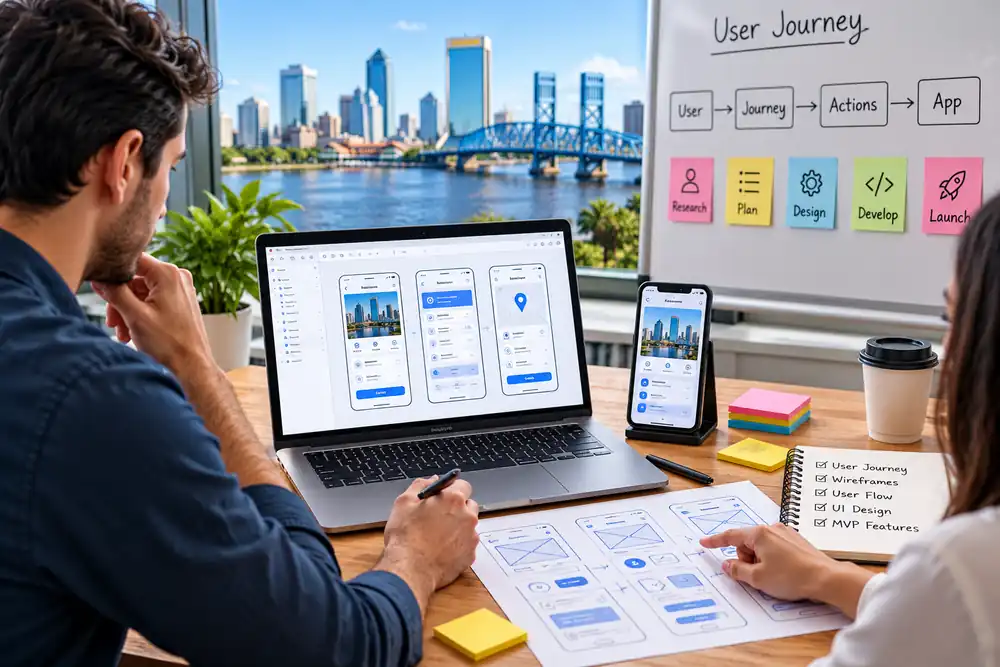
Start With the User Journey, Not the Feature List
App ideas often arrive as a list of features. That list becomes much more useful once each feature is tied to a real user action.
More features increase design states, development dependencies, testing effort and maintenance. They only add value when they improve the core workflow.
MVP or Full Build?
The first release should match how much the product already knows about its users, requirements and business model.
MVP
Best suited to a new product where the main workflow needs to be validated before the business invests in a larger feature set.
Full-Scope Build
More appropriate when requirements are already well defined, the app replaces an existing process or multiple workflows need to be available at launch.
Version Planning
Define version one clearly, keep later features documented and build the foundation so useful improvements can be added without turning every release into a rebuild.
What App Development Actually Includes
The work should connect product decisions, experience design, technical execution and launch readiness instead of treating coding as the entire project.
Product and Requirements Planning
Clarify the audience, product goal, core workflow, platform options, dependencies and version-one scope.
UX/UI Design
Map user flows, wireframes, screen states and interface behavior before development decisions become expensive to change.
Mobile App Development
Build the approved experience for iOS, Android or Flutter, including the app logic and front-end behavior required by the scope.
Backend and Integrations
Connect accounts, data, APIs, payments, notifications or third-party services where the app depends on them.
Testing and QA
Test important flows, supported devices, edge cases and release builds before the product reaches users.
Launch Preparation
Prepare the app for store submission, tracking, production access and the handoff needed for ongoing operation.
What Usually Makes an App Project Underperform?
When an app project struggles, the visible problem is often a symptom of an earlier product or process decision.
| What You See | What May Be Happening |
|---|---|
| The scope keeps expanding | Version-one priorities were not defined clearly enough. |
| Development repeatedly stalls | Requirements, dependencies or approval decisions may still be unresolved. |
| The app works but feels hard to use | Features may have been planned before the user journey. |
| Budget increases unexpectedly | Backend, integration or edge-case complexity may have been underestimated. |
| iOS and Android behave differently | Platform-specific behavior may not have been planned or tested carefully. |
| People download but do not return | The app may not solve a recurring problem or onboarding may not lead to value quickly. |
| Launch happens but adoption is weak | Distribution and user acquisition may have been left until the end. |
| Small updates create new problems | Architecture, testing or release processes may not support change cleanly. |
A good discovery process does not eliminate every project risk. It makes the known risks visible early enough to plan around them.
Example App Concepts Across Different Use Cases
These examples show how the product scope and user journey can change based on the business model, customer need and operational workflow behind the app.
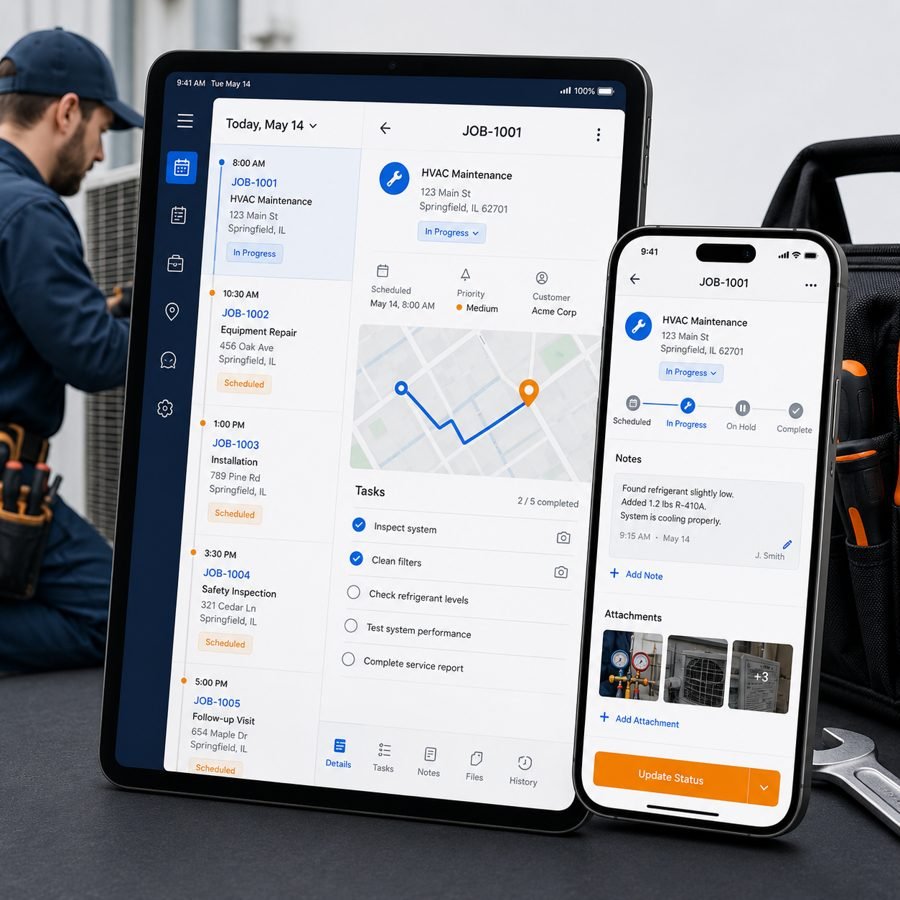
Field Service Job Management App
This concept focuses on scheduling, dispatch visibility, job-status updates, technician workflows and customer communication in one mobile experience, helping a service business manage field activity more clearly from assignment through completion.
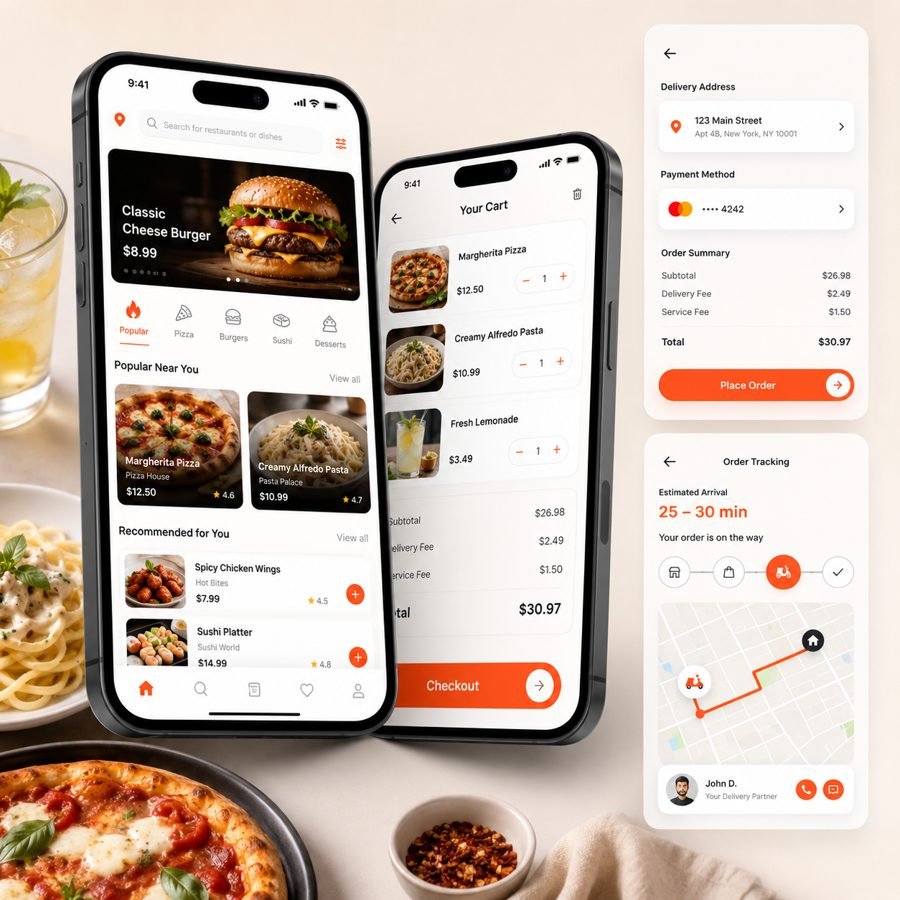
Restaurant Ordering and Delivery App
This type of app is built around menu browsing, repeat ordering, checkout, delivery updates and account convenience, giving a restaurant a more direct mobile ordering workflow instead of relying only on third-party platforms.
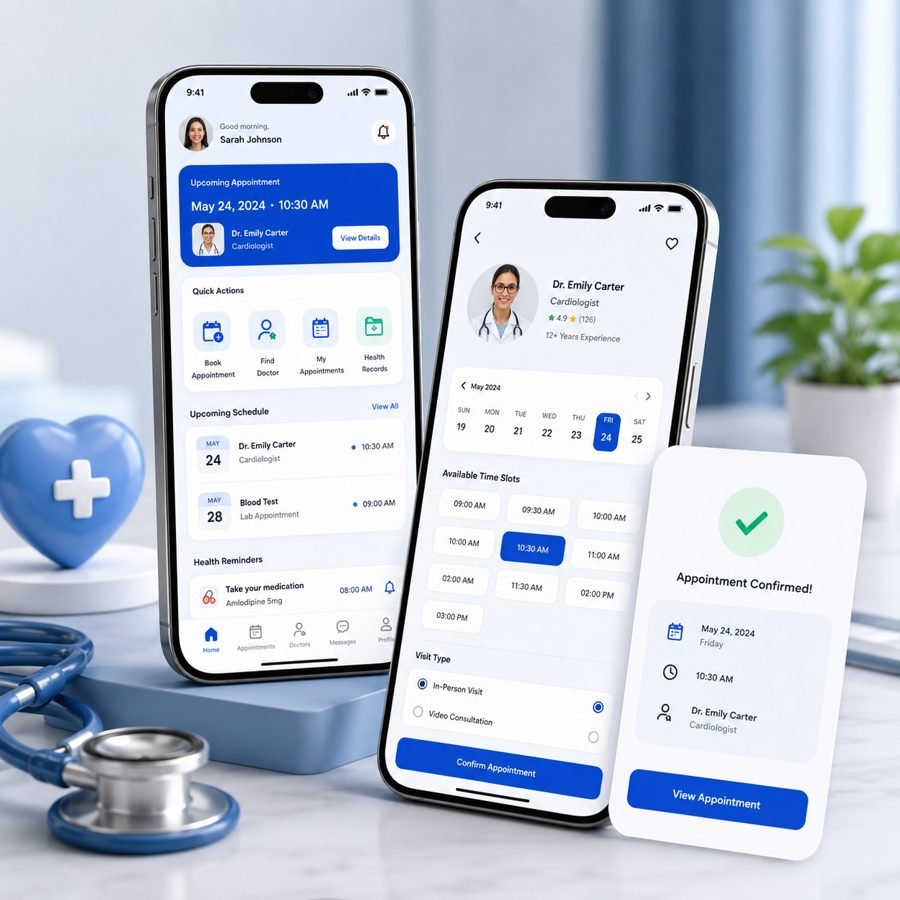
Healthcare Appointment Booking App
This concept is structured around appointment discovery, booking flow, reminders, patient-facing account access and communication touchpoints, supporting a smoother scheduling experience for both the provider and the patient.
Build for the User and the Business Behind the App
A mobile product has to make sense from both sides. Users need a clear experience. The business needs a product it can operate, measure and improve.
For Users
For the Business
How OzoPro Approaches App Development
Each stage keeps product decisions, UI/UX, development, QA and launch responsibilities connected to one defined version-one scope.
1. Discovery and Product Goal
Define the audience, the problem, the main user journey and the product outcome the first release should support.
2. Platform and Scope Decision
Choose iOS, Android, Flutter or another appropriate route, then separate version-one requirements from later ideas.
3. User Flows and UI/UX
Map the screens, states and actions users need before production development begins.
4. Development and Integration
Build the approved app experience and connect the backend services, accounts, APIs or third-party systems required by the scope.
5. Testing and Launch
Test critical user flows, supported devices and release builds, then prepare the product for App Store or Google Play submission where applicable.
6. Post-Launch Improvement
Use real product feedback, analytics and operational needs to prioritize fixes, compatibility updates and future releases.
What Happens After the App Launches?
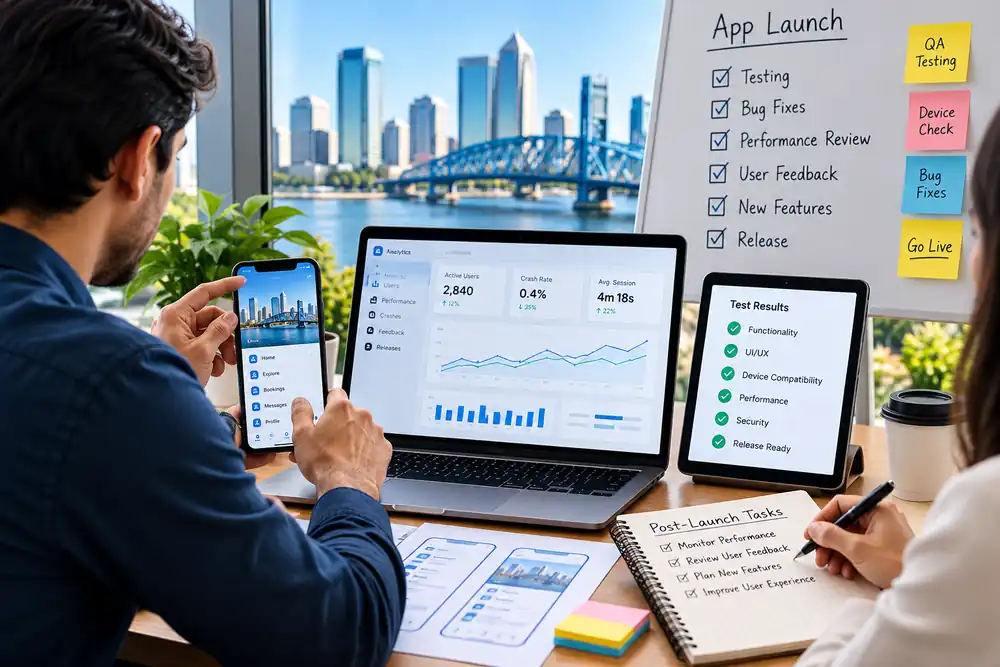
Launch is the point where assumptions meet real behavior. Users may take a different path through the product than the team expected, devices and operating systems continue to change, and new feature requests become easier to judge once the core app is in use.
Post-launch work can include bug fixes, compatibility updates, performance review, analytics, user feedback and planned feature releases. If the app also needs customer acquisition, that should be treated as a separate growth problem rather than assumed to happen because the product is in an app store.
OzoPro can connect app projects with broader digital marketing support where it is genuinely needed, but the development page stays focused on building and maintaining a useful product first.
What Affects App Development Cost and Timeline?
App-development estimates vary because the work behind two apps can be completely different. A focused booking app and a multi-role platform with payments, live data and several integrations should not be scoped the same way.
Platforms
One platform, two native builds or a cross-platform approach changes the development and QA footprint.
Feature Complexity
Accounts, roles, payments, notifications and multi-step workflows create different dependencies.
Backend and Integrations
APIs, third-party systems, live data and custom backend work can materially change scope.
Design and Testing
Custom UI states, supported devices, accessibility, edge cases and release preparation affect effort.
A useful estimate comes after those requirements are understood. Quoting from a feature name alone usually hides the details that create the real development effort.
How to Compare Jacksonville App Development Companies
When comparing mobile app developers in Jacksonville, the most useful questions are about product decisions, ownership and what happens when the project changes, not just the technology list on an agency website.
Jacksonville App Development FAQs
A mobile app development company helps scope, design, build, test and launch an application. Depending on the project, that can include product planning, UI/UX, backend development, integrations, App Store or Google Play preparation and support after release.
The choice depends on the audience, required device features, existing technical environment, budget and whether both major mobile platforms need to launch together. Native iOS or Android can be the better fit for platform-specific requirements, while Flutter can be useful when a shared cross-platform approach suits the product.
Native apps are developed specifically for one platform, such as iOS or Android. Cross-platform development uses a shared codebase to support more than one platform. The tradeoff depends on product requirements, platform-specific behavior, development resources and long-term maintenance.
An MVP is useful when the core idea still needs validation. It should include enough functionality for real users to complete the main workflow, while leaving nonessential features for later versions.
There is no useful fixed price without a scope. Platform choice, feature complexity, backend requirements, integrations, custom design, testing and launch support all affect the estimate. The right estimate comes after the product requirements are properly reviewed.
Timeline depends on the product, number of platforms, feature set, integrations, approval process and testing requirements. A focused version-one build and a complex multi-role product should not be given the same timeline before discovery.
OzoPro can support post-launch work such as fixes, compatibility updates, performance review and future feature planning where those needs are included in the engagement.
Look for a team that can explain platform choice, scope, UX, integrations, testing, code and account ownership, launch responsibilities and post-launch support. The strongest proposal should make the product decisions clearer, not just present a longer technology list.
Build the Right App Before You Build More Features
If you already have an app idea, the first useful step is defining the user, the core workflow, the right platform and what belongs in version one.
OzoPro can help turn that into a practical app-development plan for iOS, Android or Flutter, with the design, development and launch work organized around a clear scope.